Conventional: Comments

Hello everyone 👋, In this article, we will talk more about the usage of conventional comments, how it saves hours of under-communication and misunderstandings between team members during the code reviewing process, the different labels used in the conventional comments, and how to add conventional comments labels as a saved replied in Github.
So without further ado, Let’s Get It Started 🏃♂️️
⚓ About
Conventional Comments is a standard for formatting comments of any kind of review/feedback process such as: Code review process.
❌ Bad review comment
Most of the time comments like this are unhelpful…

✅ Good review comment
By simply prefixing the comment with a label, the intention is clear and the tone dramatically changes.


🏆 Better review comment
Labels also prompt the reviewer to give more actionable comments.

Labeling comments saves hours of under-communication and misunderstandings.

🚧 Conventional comment format
Consistent format improves reader’s expectations and actions
<label> [decorations]: <subject>[discussion]

For example:

🔖 Labels

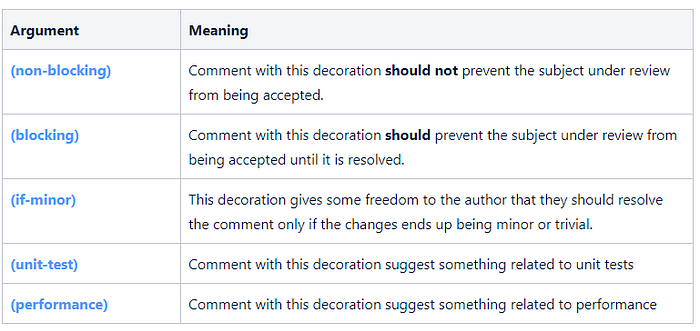
🎊Decorations
Decorations give additional context for a comment. They help further classify comments which have the same label (for example, a security suggestion as opposed to a test suggestion)


🥇 Best Practices
- Leave actionable comments
- Combine similar comments
- Replace “you” with “we”
📑 Saved replies Github
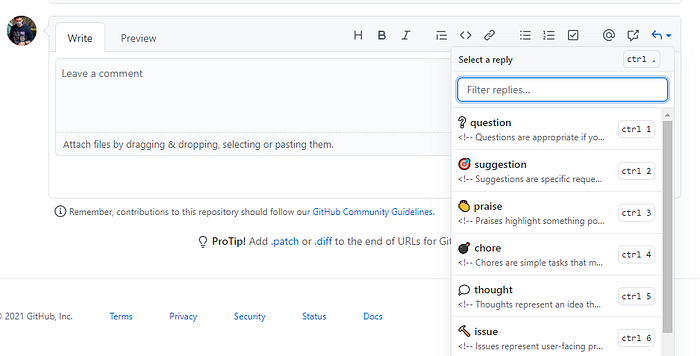
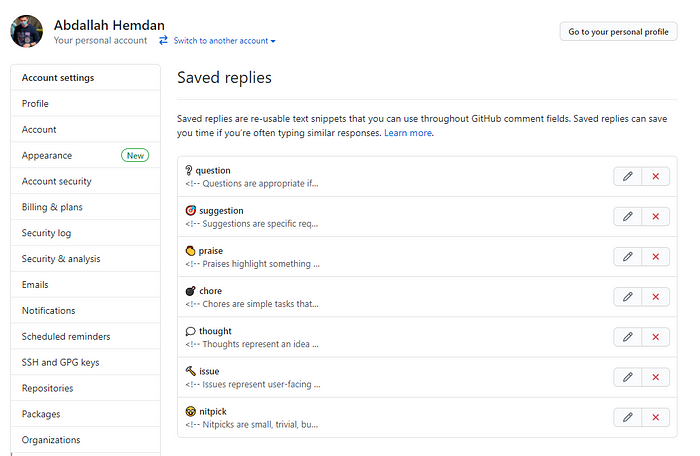
You can add all conventional comments Labels to Github as a saved replies by following the following steps:
1. Go to https://github.com/settings/replies
2. Open Developer Tools
3. Copy/Paste above code in JavaScript console
4. Press enter
💻 Conventional Comments Buttons Extension
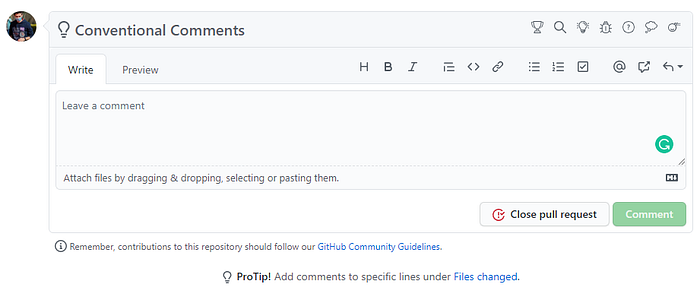
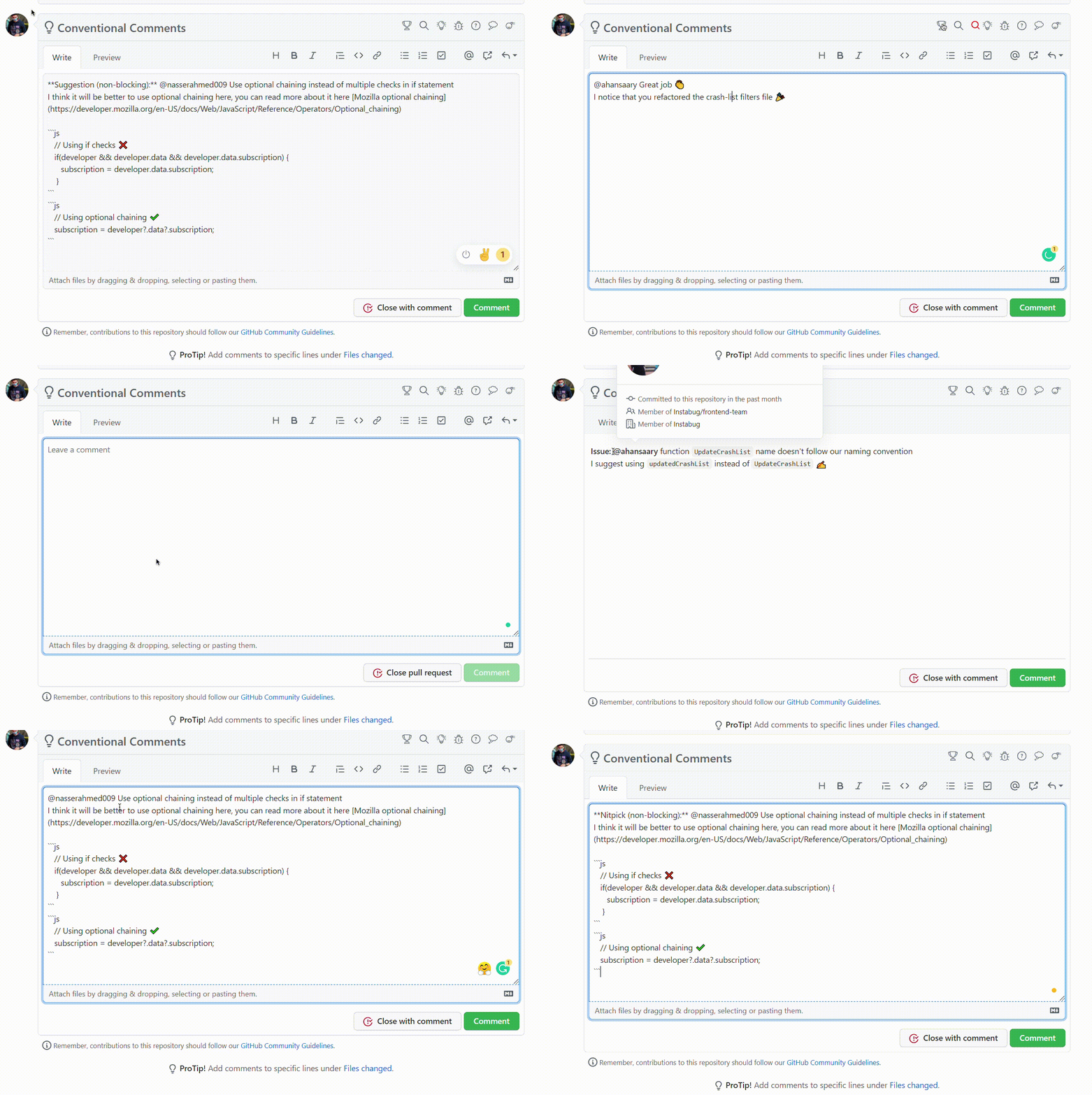
I have created a chrome extension to quickly add conventional comments to GitHub pull requests comments which we can install and use from here Conventional-Buttons
📑 Conclusion
Conventional comments are Practices, I find it to be a good practice. Here are a few reasons.
- The intention of our comment is clear
- The separation between the topic of the comment and the example and/or reasoning of the comment is very clear and straight
- The author knows what they should prioritize because our comments are well-labeled